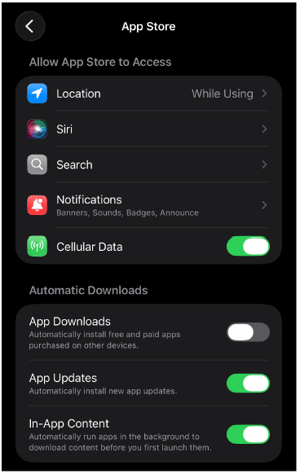
Generally, the app will not update until you’re connected to Wi-Fi, in order to save data, unless you change an additional setting to allow this.
Android:
-
Open up your Google Play app.
-
Search for hh2 AP Payments.
- Click on the app and hit the 3 vertical dots on the top
right of your screen. - Click the “Enable auto update” setting as shown in the
photo below: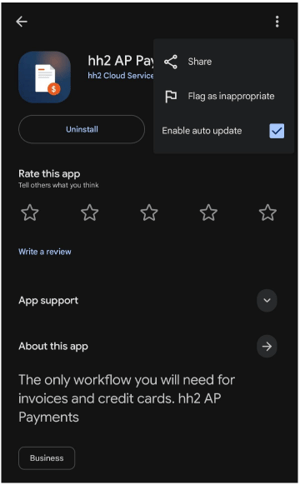
iPhone/iPad:
-
Open the iOS Settings.
- Scroll down until you see “App Store” and open those
settings. -
Under Automatic Dowloads, turn on the setting for App
Updates shown in the photo below. (Note, this setting is for all hh2 apps, it is not specific to hh2 AP Payments.)