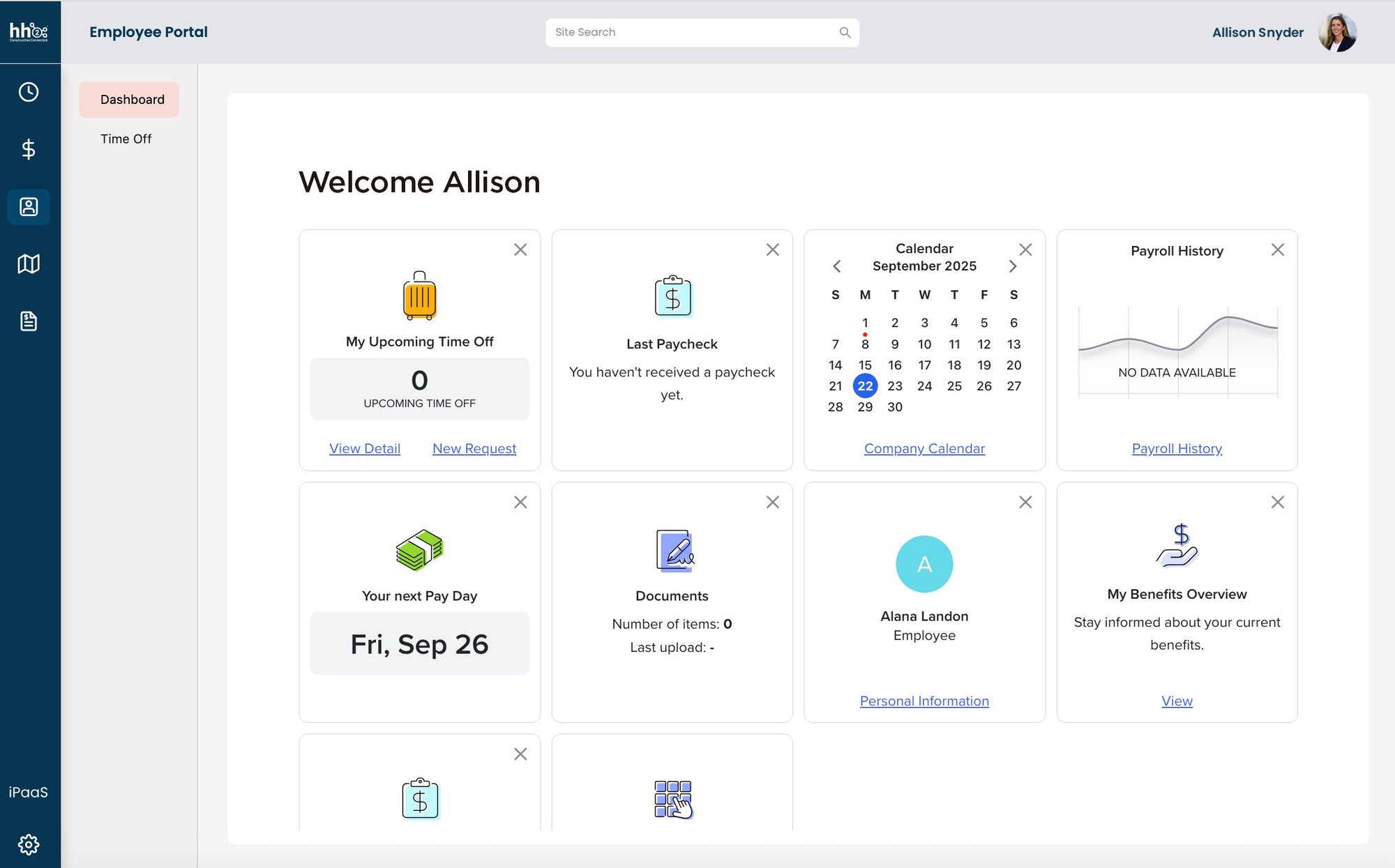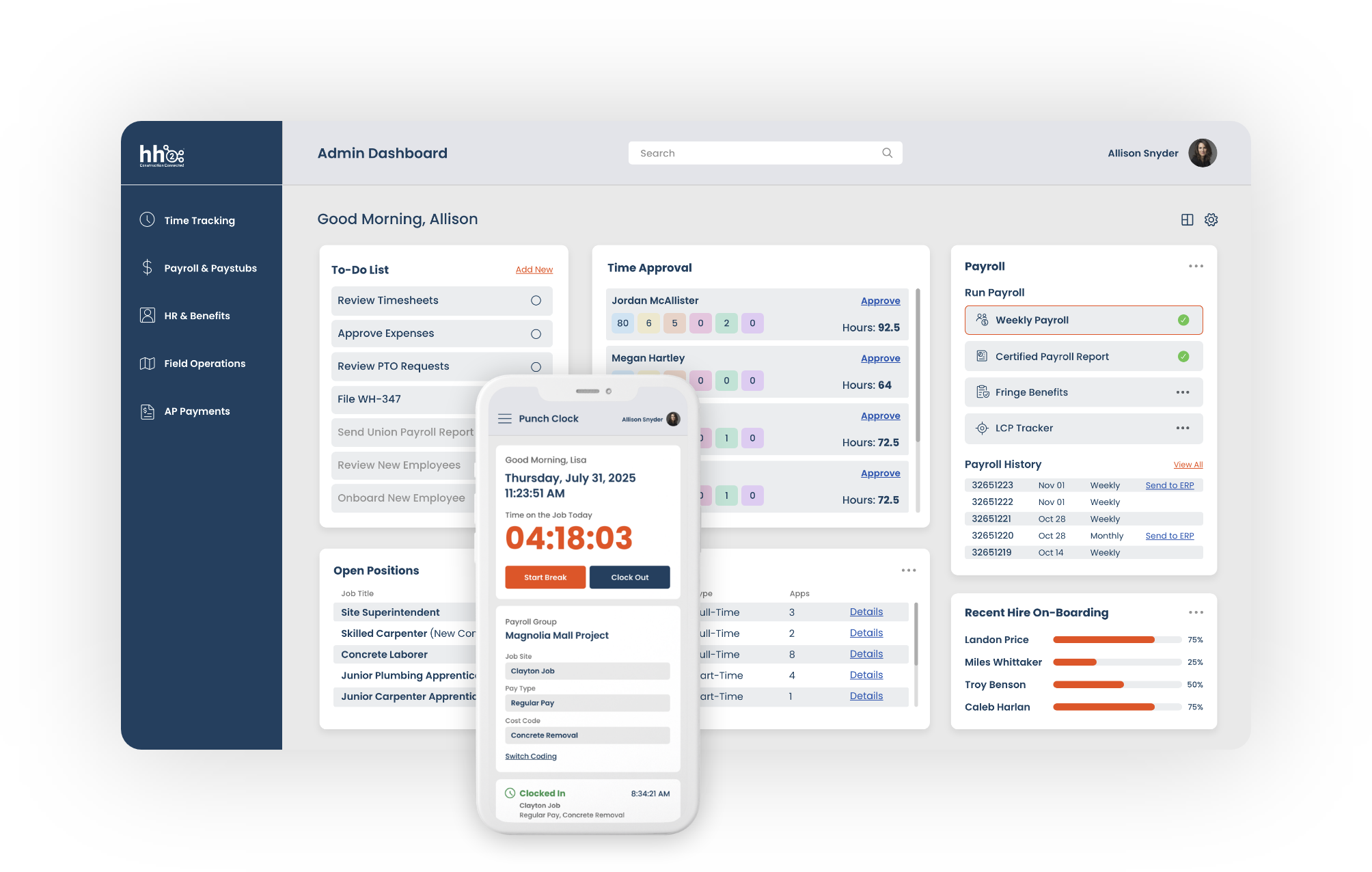


We know construction. Now we're connected to QuickBooks Desktop.
Built on 20 years of connecting the field to accounting, for contractors who are ready to get more out of QuickBooks Desktop.
20
Connecting the field to accounting
3500
Trust hh2 to simplify their back office
$16B
Processed through hh2 integrated solutions
Why construction teams on QuickBooks Desktop choose hh2.
QuickBooks Desktop's payroll and time tools are built for general accounting, not construction. No certified payroll. No prevailing wage. No union pay groups. And every payroll run means exporting data by hand and re-entering it before it can post. hh2 connects to QuickBooks Desktop to close that gap, without asking you to change accounting systems.
construction
Collect time, code labor, and run payroll the way construction teams actually work: by job, by cost code, by crew.
Keep jobs, cost codes, time, and payroll tied to QuickBooks Desktop. QBD stays your system of record.
manual steps
Replace manual exports and re-entry with one connected process for time and payroll. Nothing to rebuild, no miscode to chase down.
& compliance
Give your payroll team cleaner records, stronger approvals, and more confidence in what posts to QuickBooks Desktop.
hh2 products that connect with QuickBooks Desktop
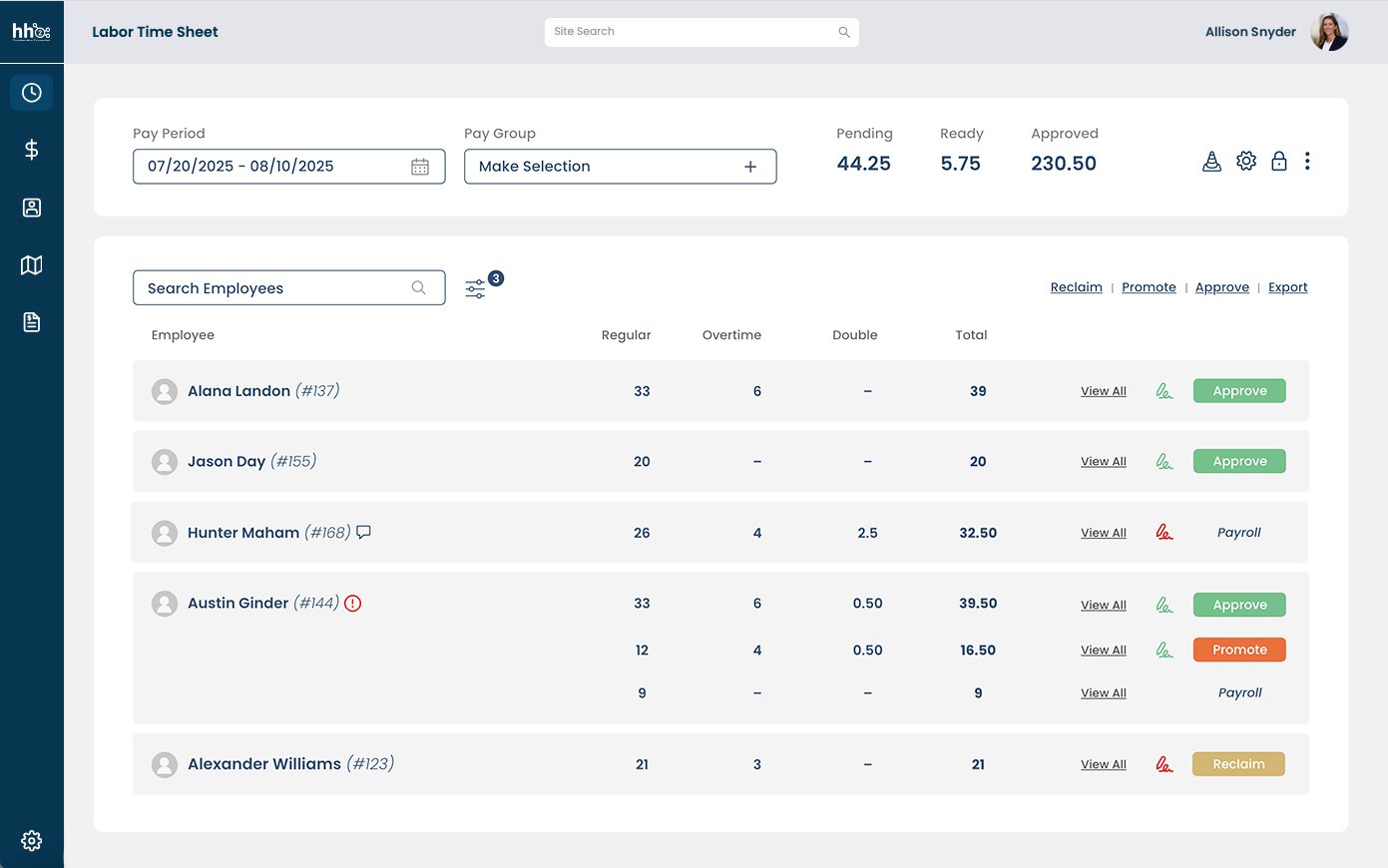
Capture time from the field on any device. Route hours through approvals, and code every hour to the right job and cost code, before it reaches payroll.
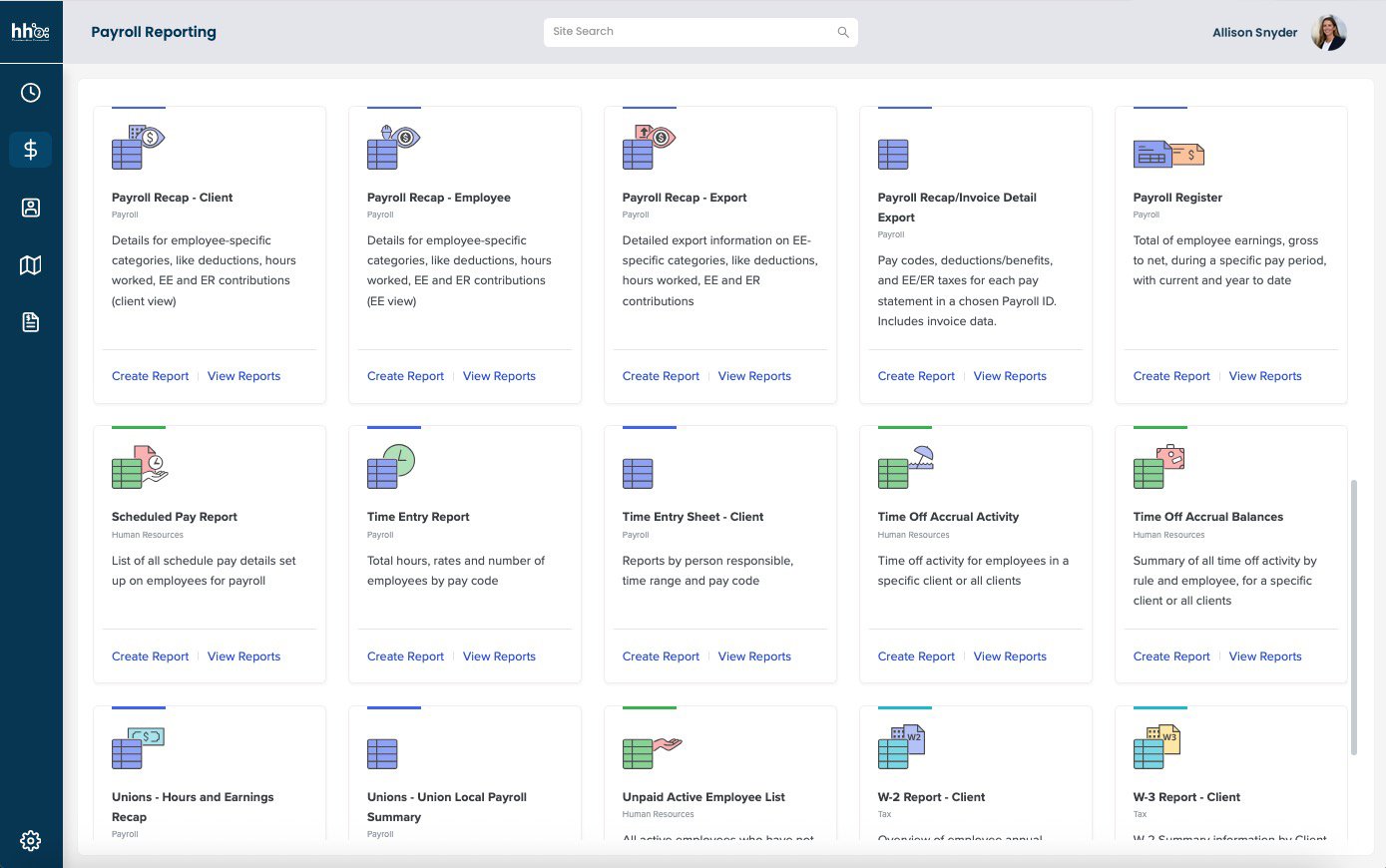
Run payroll built for construction, with certified payroll, prevailing wage, and union pay support that QuickBooks' own payroll tools don't offer. Pay codes sync from QuickBooks Desktop, so your team codes time against the same payroll items your books already use.
How hh2 works with QuickBooks Desktop
Every path starts the same way.
Connect
Turn on Account Numbers and Class tracking in QuickBooks Desktop, then connect through hh2's Web Connector. hh2 support helps you get set up and confirm the connection matches your company file.
Capture and Approve
Collect time from the field. Route it through approvals before anything moves forward.

Sync to QBD
Approved time flows into payroll, already coded to the job. Once payroll runs, hh2 posts it to QuickBooks Desktop as a balanced journal entry, coded to the job and GL account. Jobs and cost codes sync automatically once you're connected.
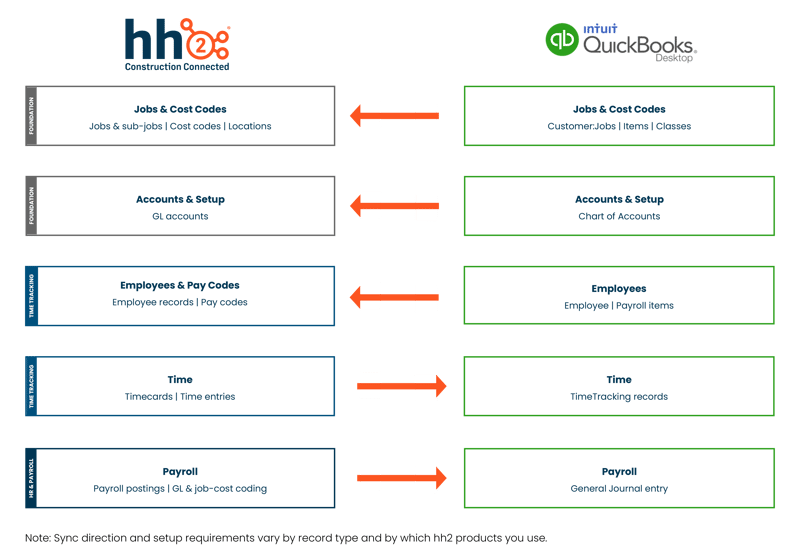
What data moves between hh2 and QuickBooks Desktop

Find the path that fits where you are today
Most customers start with one hh2 solution and add the other when they're ready. Here's how construction teams on QuickBooks Desktop typically get started.
You keep QuickBooks Desktop. You just stop entering its data twice.
Connect QuickBooks Desktop to construction-built tools
If your team runs QuickBooks Desktop, you know payroll day. Someone exports time, re-enters it by hand, and checks it against the books before it can post. One miscode, and it's redone. hh2 connects to QuickBooks Desktop so that stops.
Keep the time system already in place, or move to hh2 Time Tracking. Keep payroll running through QuickBooks Desktop, and it posts automatically, coded to the job.
FAQ
What does hh2 integrate with in QuickBooks Desktop?
hh2 connects to QuickBooks Desktop to support time tracking and payroll for construction crews, including jobs, cost codes, employees, and pay codes.
How do I connect hh2 to QuickBooks Desktop?
You connect through hh2's Web Connector. Before you connect, turn on Account Numbers and Class tracking in QuickBooks Desktop. hh2 support helps you get set up.
Does hh2 support certified payroll, prevailing wage, and union pay for QuickBooks Desktop customers?
Yes. hh2 is built for construction payroll, including certified payroll, prevailing wage, and union pay rules that QuickBooks Desktop's own payroll tools don't handle.
Which hh2 products work with QuickBooks Desktop?
Time Tracking and HR & Payroll connect to QuickBooks Desktop today.
Does hh2 replace QuickBooks Desktop?
No. QuickBooks Desktop stays your system of record for accounting. hh2 connects to it so your team doesn't have to move payroll and time data by hand.
Can I keep the time tracking app my crews already use?
Yes. If your crew's time already lands in QuickBooks Desktop, hh2 can bring that time into payroll from there.
Is my QuickBooks Desktop data safe with hh2?
hh2 connects to QuickBooks Desktop through its Web Connector, a utility built by Intuit. hh2 only reads and posts what your connection is set up to share.
Do I have to switch everything at once?
No. Start with Time Tracking or HR & Payroll alone, and add the other later. QuickBooks Desktop stays connected the whole time.