Skip to content

BUILT FOR CONSTRUCTION PAYROLL

Meet Vyki, your new AI assistant

She looks at hundreds of timesheets, flagging the six you need to review. She chases the people who  need to enter their time, and reminds the supers who need to approve timesheets. She gives back the hours so you can do your jobs.  

Vyki Screenshot - Reach the field without calls
How Vyki Works

One AI Construction Payroll Assistant. Two ways to work.

You decide if Vyki works autonomously in the background on your payroll schedule or if you want to use prompts to direct her. 

Automated mode, on your schedule

Vyki reviews, fixes, and approves compliant timesheets automatically, four times a cycle, then sends you a summary. 

Enable automated mode


Prompt mode, on command

Ask Vyki what needs to change. She checks your permissions, proposes it, and waits for your OK. 

Prompt mode, on command

"Our jobs are complicated. I told Vyki the rule one time. She did the math right and put it straight into the timesheet. "

  Rosemary Nocera-Williams, Public Relations and Human Resources, Aero Mechanical 

 A few things Vyki does every pay period.

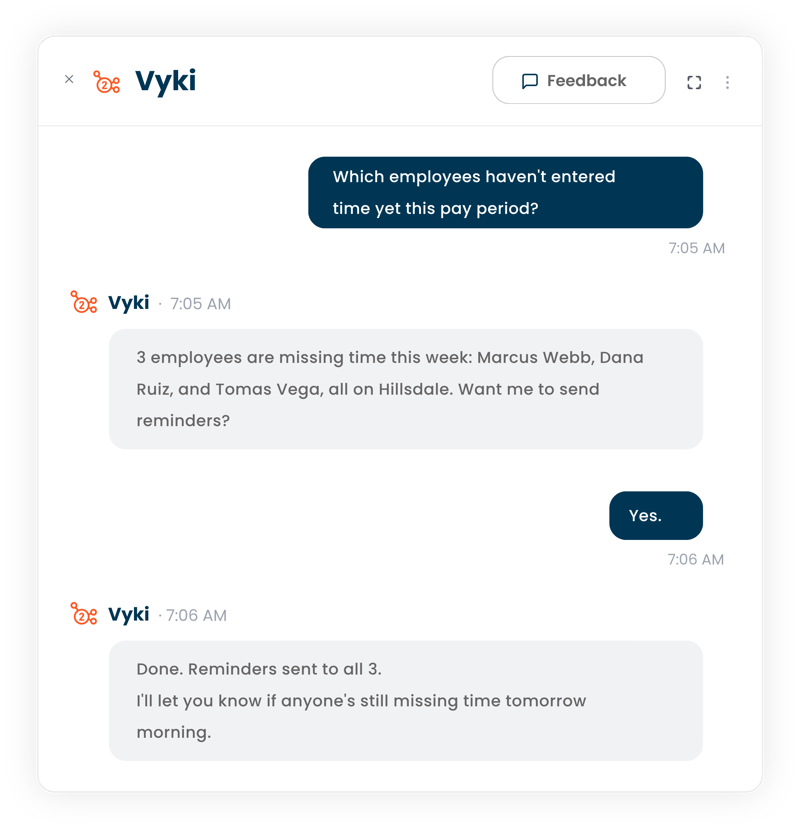
Know who's missing time

Which employees haven't entered time yet this pay period?

Vyki tells you exactly who's missing time and offers to send the reminder herself. 

Vyki Screenshot - Know whos missing time
Vyki Screenshot - Catch multi-state overtime

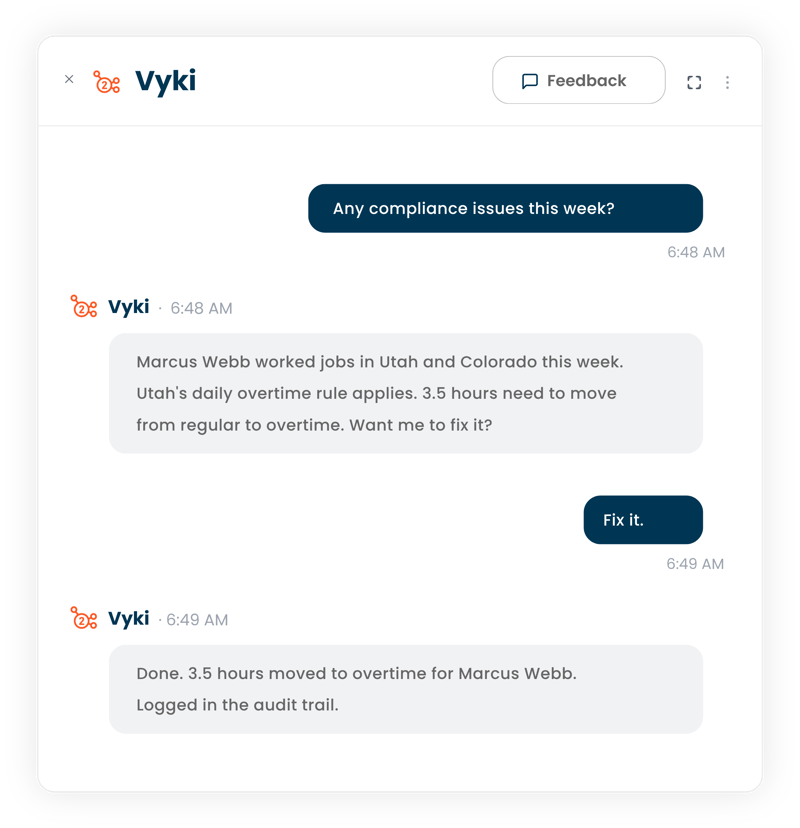
Catch multi-state overtime

An employee worked jobs in two states this week.

Vyki flags which state's overtime rule applies and shows you the hours she's about to correct, before and after. Nothing changes until you say go. 


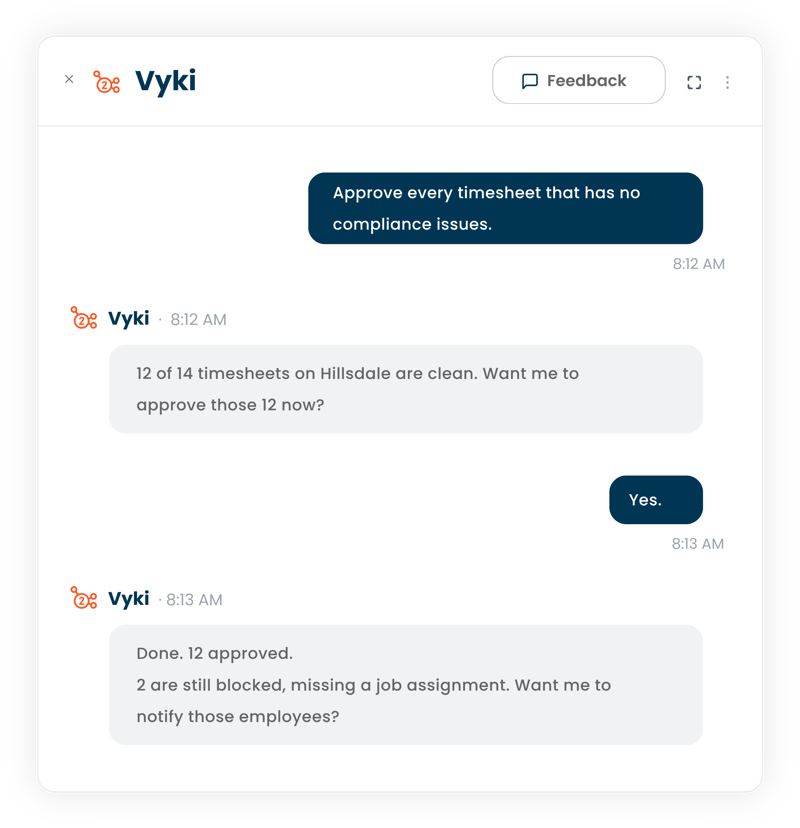
Approve a week in one message

Approve every timesheet that has no compliance issues.

One message, and a project's worth of clean timesheets get approved. Vyki tells you the count and flags anything still blocked.
Vyki Screenshot - Approve a week in one message
Vyki Screenshot - One record of everything she did

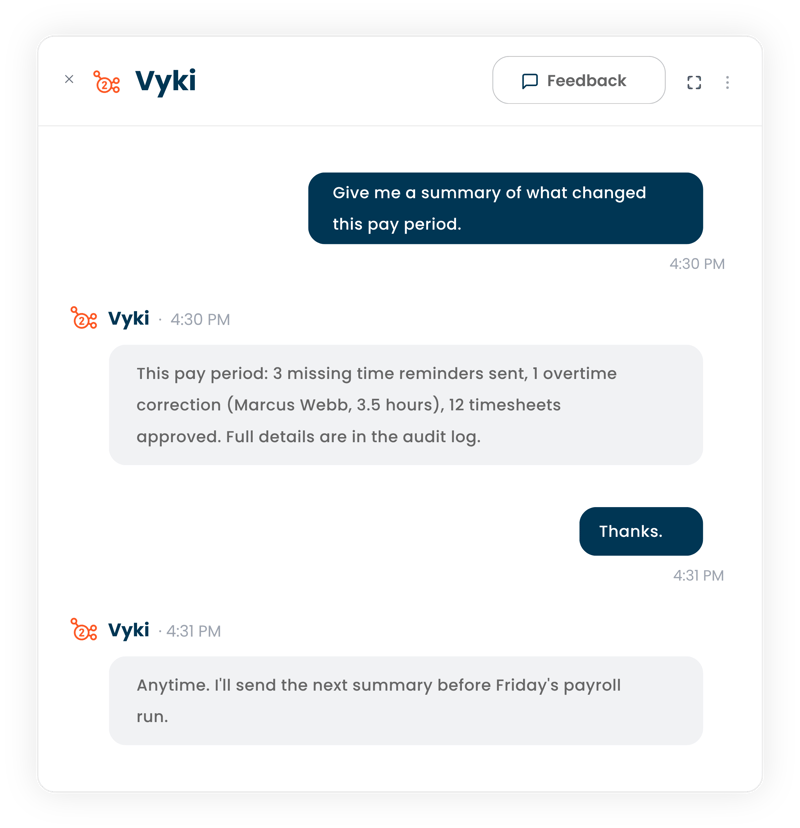
One record of everything she did

Every pay period, automatically.

Vyki sends a plain summary: hours she adjusted, cost codes she corrected, who she reminded. Nothing happens quietly. 


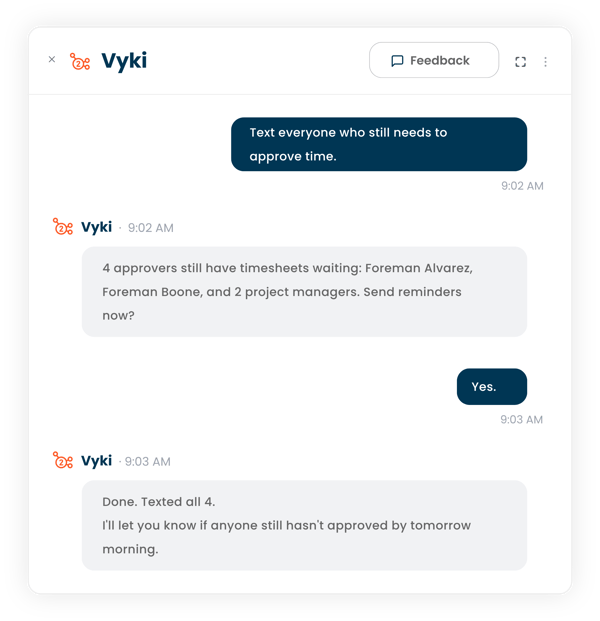
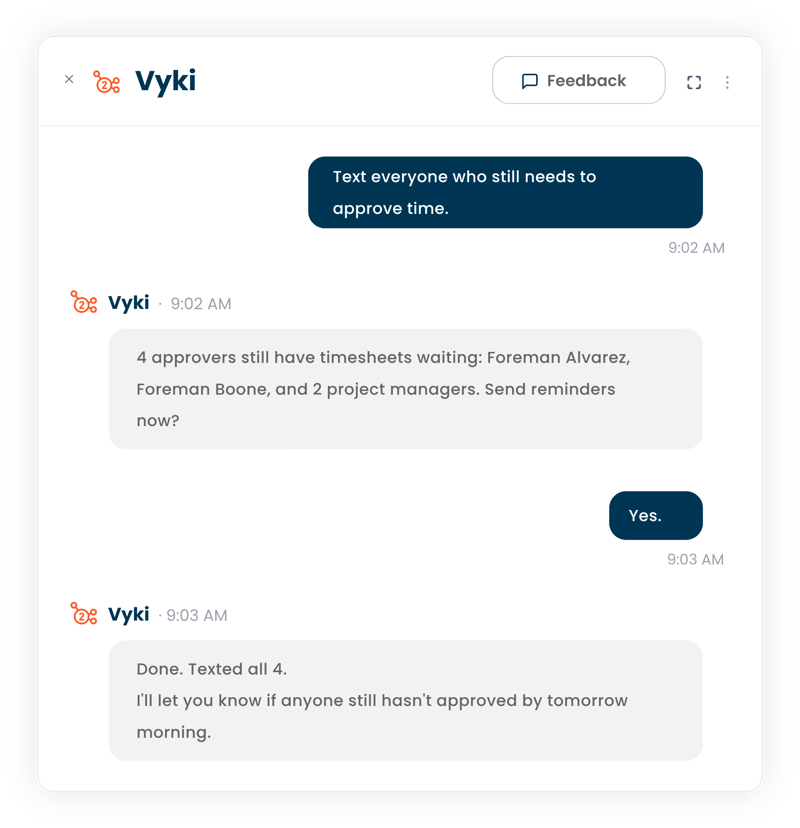
Reach the field without calls

Text everyone who still needs to approve time.

Vyki reaches your field and office teams by text or email, so nobody has to be tracked down by phone. 
Vyki Screenshot - Reach the field without calls

One AI. Every corner of your back office.

TIMESHEETS

01_stop_chasing_timesheets_1

The AI that never misses a missing hour.

 Catches missing hours before payroll day, not after.
 Flags coding errors before they hit a job cost report.

 Checks compliance automatically, every pay period.

  Follows up on stuck approvals so nobody has to chase them.

PUNCHCLOCK

07_punch_clock_audit

The AI that catches what the line-by-line hunt misses.

Catches consolidation errors before an employee gets underpaid.

Explains punch discrepancies in plain language, instead of a line-by-line hunt.

Flags missing punches before they become a payroll problem.


See why 3,500+

contractors trust hh2

robbins&morton_white
wtbyler-logo
Gray_white
largo-logo-white-300x106
hogn_white

Life without Vyki is a never ending chase for missing hours. 
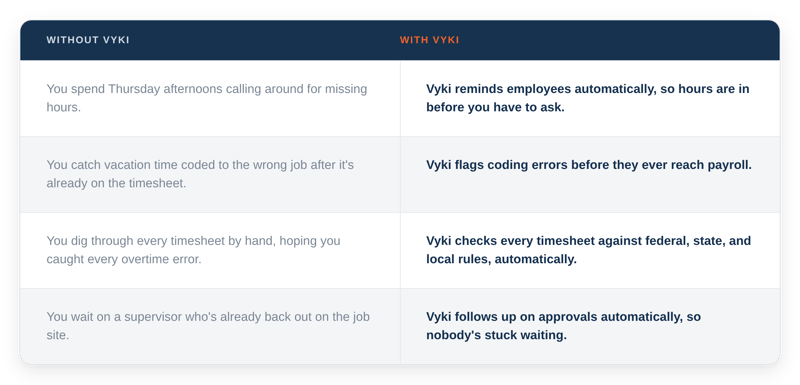
without-with-vyki-timesheets-tableYour job isn't supposed to be chasing down hours and untangling coding mistakes. Vyki handles the chasing, checking, and fixing, so you can get back to the work that's actually on your job description. 

"We couldn't live without hh2."

"We couldn't live without hh2... The ability to input your time and have those cost codes available at your fingertips is extremely helpful. I couldn’t imagine having to do payroll without hh2.”

— Lorraine Searcy, Accountant and Payroll Administrator, Anchor41

Read about Lorraine's experience with hh2


Try Vyki on your next payroll run. 

FAQ

No. Talk to her the way you'd talk to a colleague. She figures out what you mean.

No, unless you've turned on Auto Correct Time or Auto Approve Time. With those off, Vyki proposes a change and waits for you to confirm. With those on, she'll still send you a summary of everything she changed, so you can review it.

Right now, that's your Payroll Manager. Everyone else gets reminders and updates from Vyki automatically, by text or email.

She'll ask a clarifying question rather than guess, the same way a coworker would.

Yes. Every action she takes is logged, and it's reversible the same way any manual change in hh2 is.