

We know construction. Now we're connected to QuickBooks Online.
Built on 20 years of connecting the field to accounting, for contractors who are ready to get more out of QBO.
20
Connecting the field to accounting
3500
Trust hh2 to simplify their back office
$16B
Processed through hh2 integrated solutions
Why construction teams on QuickBooks Online choose hh2.
QBO's payroll and time tools are built for general accounting, not construction. Job costing stops at the customer level. No certified payroll. No payroll groups or union rules. hh2 connects to QuickBooks Online to fill that gap, without asking you to change accounting systems.
construction
Collect time, code labor, route invoices, and run payroll the way construction teams actually work: by job, by cost code, by crew.
Keep jobs, cost codes, time, payroll, and invoices tied to QBO. QBO stays your system of record.
manual steps
Replace double entry between the field and QBO with one connected process for time, payroll, and invoices.
& compliance
Give payroll and AP teams cleaner records, stronger approvals, and more confidence in what lands in QBO.
hh2 products that connect with QuickBooks Online
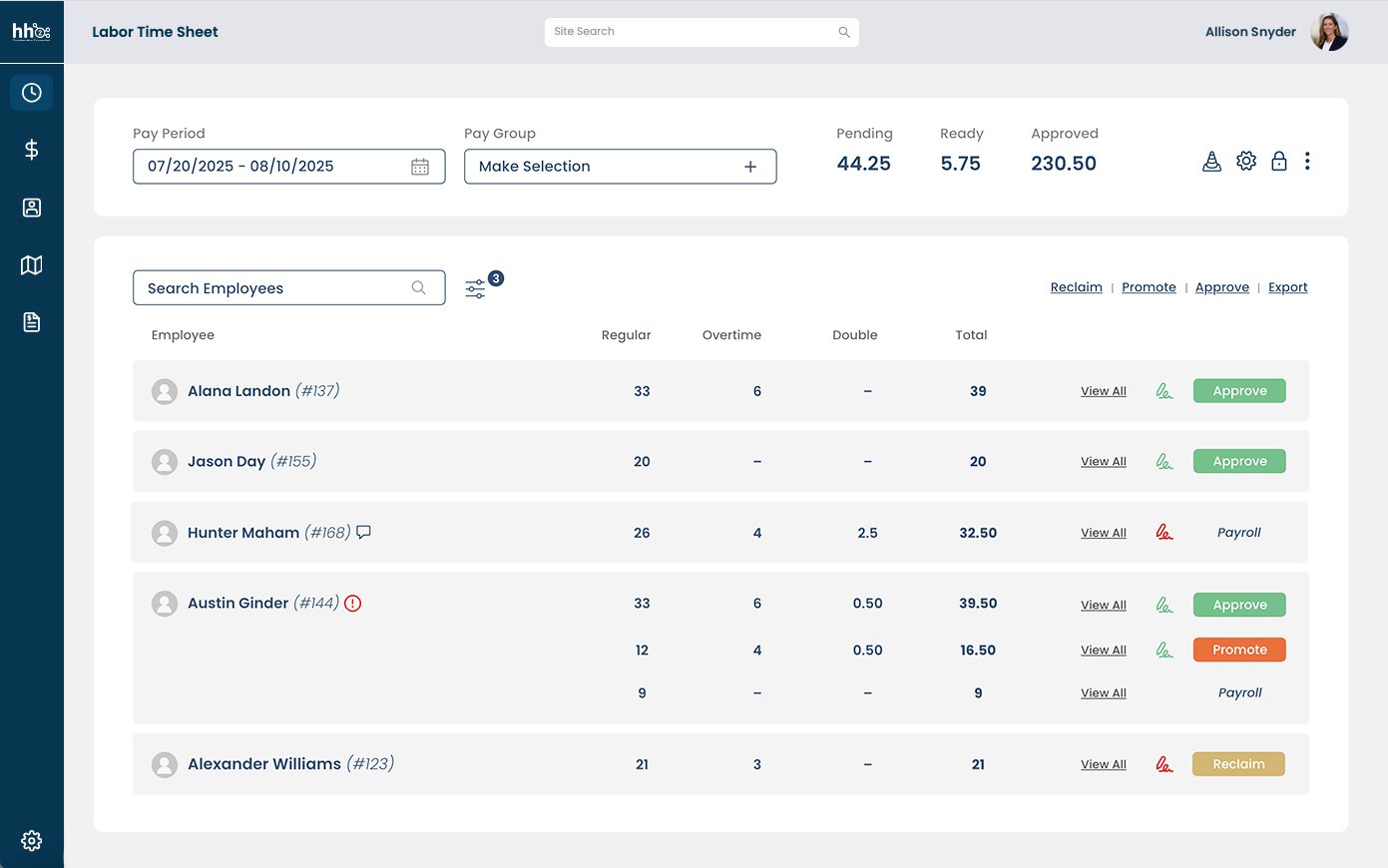
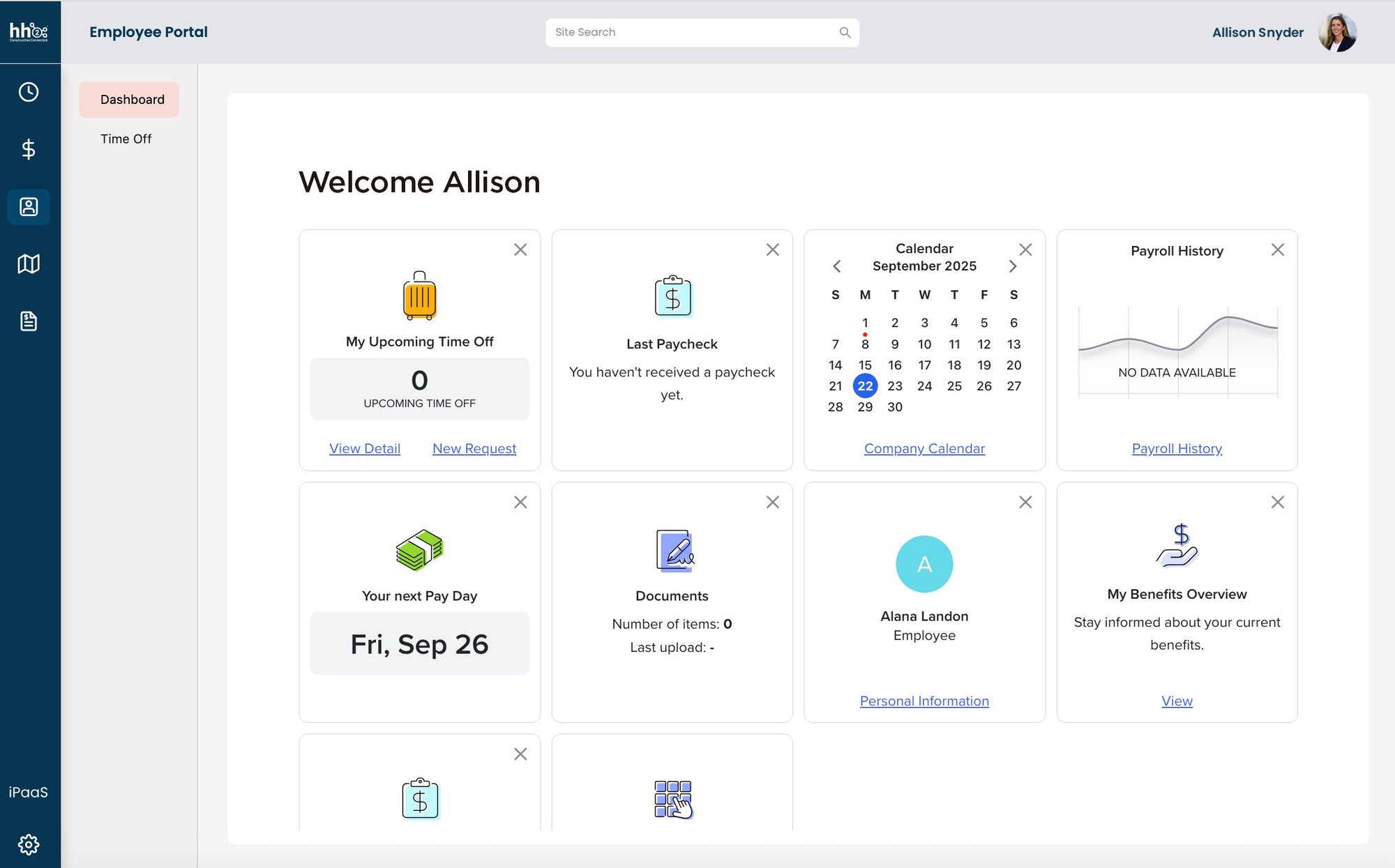
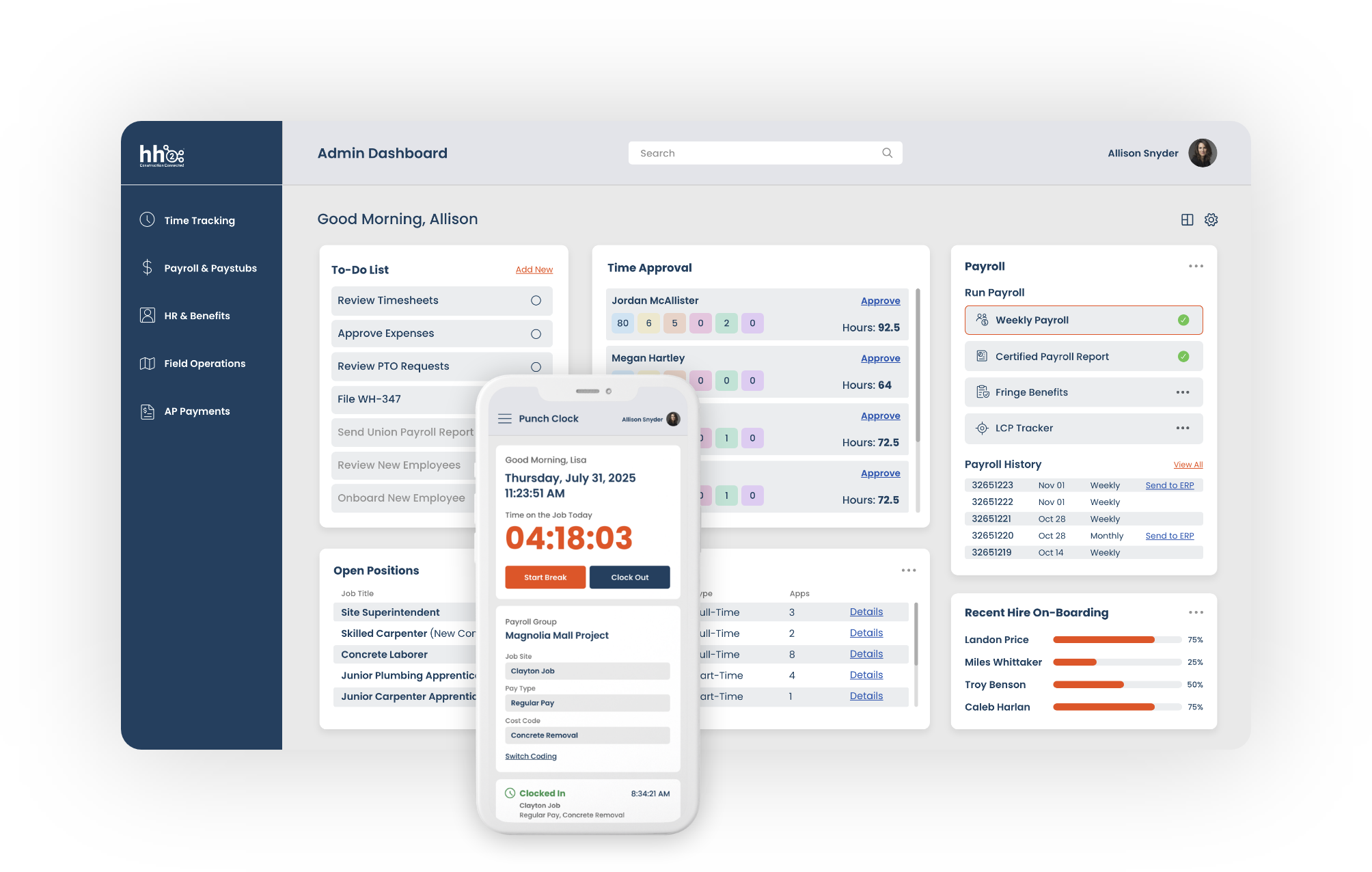
Capture time from the field on any device. Route hours through approvals, and code every hour to the right job and cost code, before it reaches payroll.
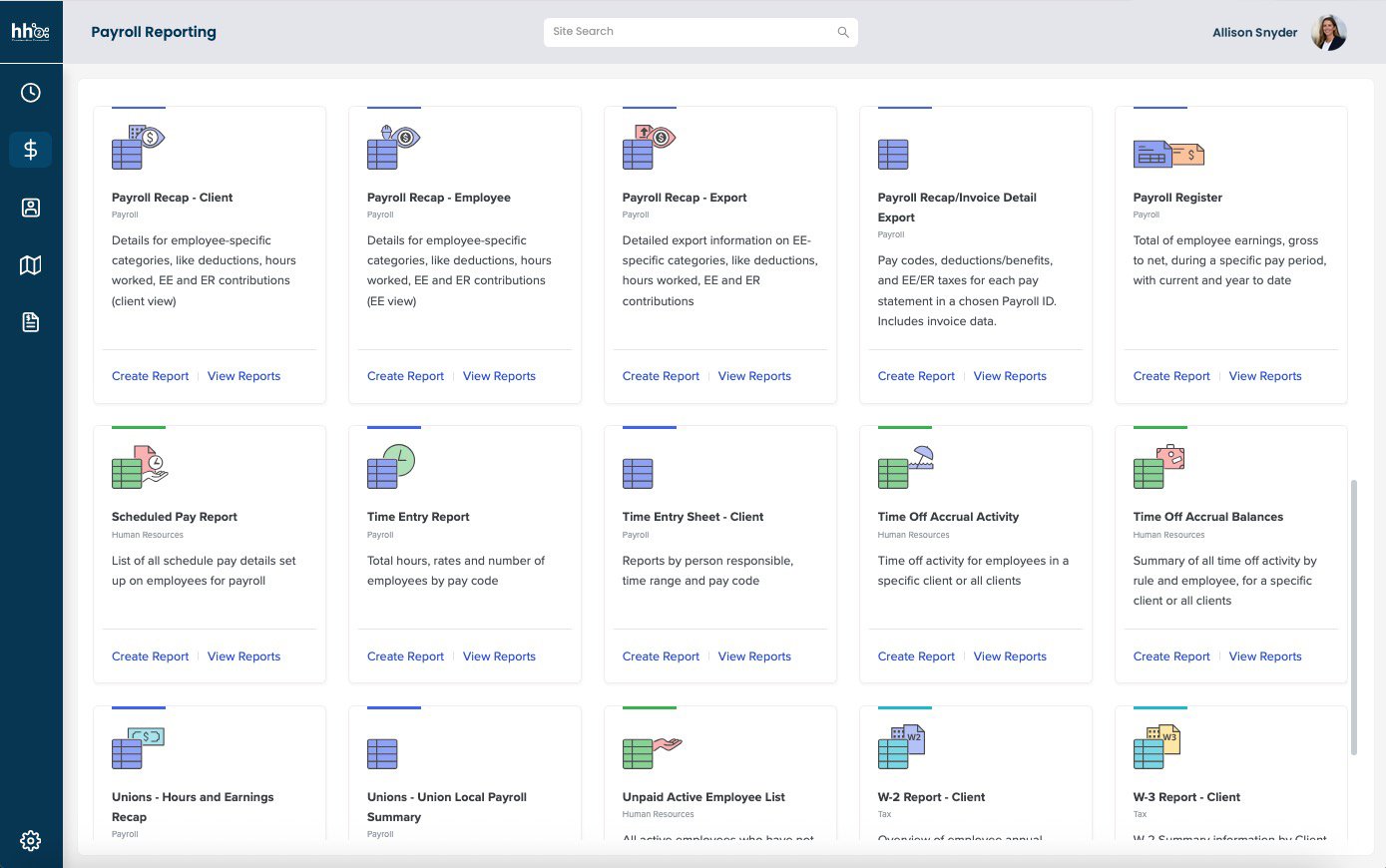
Run payroll built for construction, with certified payroll, prevailing wage, and union pay support that QuickBooks' own payroll tools don't offer. Keep the time tool your crews already use, or bring time tracking into hh2 too.
Capture invoices by email or upload, code them to the right job, route them to the right approver, and track payment status in one place.
Lorem ipsum dolor sit amet, consectetur adipiscing elit. Etiam at lacus pulvinar, eleifend orci at, pretium lectus. Integer finibus facilisis massa, cursus condimentum ligula imperdiet ut. Sed sagittis, leo vitae porta tempus, ipsum eros dignissim est, vel dictum dui ante non odio. Suspendisse pulvinar non lacus at interdum. Praesent mauris justo, venenatis a lectus vel, vulputate dictum leo. Nam eget rhoncus sem. Sed fermentum efficitur purus, eu blandit nisi aliquet a. Morbi convallis venenatis ipsum a ultrices. Mauris laoreet viverra tempus. Nulla rutrum enim at ipsum condimentum vehicula nec tincidunt nunc.
How hh2 works with QuickBooks Online
Every path starts the same way.
Connect
Connect hh2 to QuickBooks Online with a guided sign-in through Intuit. hh2 helps you get connected and confirms the right data is flowing.
Capture and Approve
Collect time and invoices from the field. Route them through approvals before anything moves forward.
Sync to QBO
Approved time, payroll, and invoices sync to QuickBooks Online. Jobs and cost codes sync automatically once you're connected.
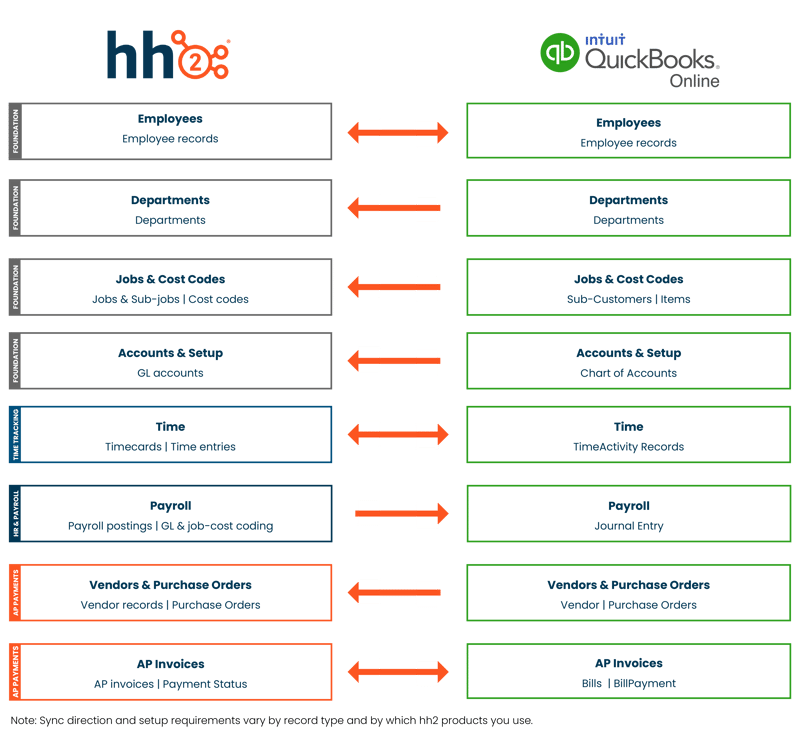
What data moves between hh2 and QuickBooks Online

Find the path that fits where you are today
Most customers start with one hh2 solution and add another when they're ready. Here's how construction teams on QuickBooks Online typically get started.
What data moves between hh2 and Sage 100 Contractor
![]() |
![]() |
||
|---|---|---|---|
| Employees | Employee records | Departments | Labor classifications | Employee records | Departments | Labor classifications | |
| Jobs | Jobs | Phases | Cost codes | Jobs | Phases | Cost codes | |
| Time | Timecards | Time entries | Labor hours | Timecards | Time entries | Labor hours | |
| Payroll | Payroll entries | Pay groups | Pay items | Payroll entries | Pay groups | Pay items | |
| Vendors | Vendor records | Vendor invoices | Vendor payments | Vendor records | Vendor invoices | Vendor payments | |
| AP Invoices | AP invoices | Invoice distributions | Approval-ready records | AP invoices | Invoice distributions | Approval-ready records | |
| Purchasing | Purchase orders | PO items | Receipts | Purchase orders | PO items | Receipts | |
| Expenses | Expense entries | Reimbursements | Credit card receipts | Expense entries | Reimbursements | Credit card receipts | |
| Job Costs | Job cost transactions | Cost entries | Labor cost detail | Job cost transactions | Cost entries | Labor cost detail | |
| Account & Setup | GL accounts | Bank accounts | Company structure | GL accounts | Bank accounts | Company structure |
Sync direction varies by record type. Most core operational records sync both ways, while some setup and payment records flow one way only.
You keep QuickBooks Online. You just stop entering its data twice.
Connect QuickBooks Online to construction-built tools
If your team runs QuickBooks Online, you know the drill. Someone submits time, and someone else retypes it. An invoice gets approved, then gets entered again. hh2 connects to QBO so that stops.
Keep the time system already in place, or move to hh2 Time Tracking. Keep payroll in QBO, or move it to hh2. Either way, entries land in the same GL structure you already use, and job cost data stays accurate.
FAQ
What does hh2 integrate with in QuickBooks Online?
hh2 connects to QuickBooks Online to support time tracking, payroll, HR, and AP workflows for construction teams. Depending on which hh2 products you use, synced data can include employees, jobs, cost codes, time entries, payroll postings, vendor records, and AP invoices.
How do I connect hh2 to QuickBooks Online?
You connect with a guided sign-in through Intuit. hh2 helps you get connected and confirms the right data is flowing. Once connected, jobs and cost codes sync automatically.
Does hh2 support certified payroll, prevailing wage, and union pay for QuickBooks Online customers?
Yes. hh2 is built for construction payroll, including certified payroll, prevailing wage, and union pay groups, which QuickBooks' own payroll tools don't support.
Which hh2 products work with QuickBooks Online?
Time Tracking, HR & Payroll, and AP Payments all connect to QuickBooks Online. Most customers start with one and add another when they're ready.
Does hh2 replace QuickBooks Online?
No. QuickBooks Online stays your system of record for accounting. hh2 connects to it so your team doesn't have to enter time, payroll, and invoice data twice.
Can I keep the time tracking app my crews already use?
Yes. If your crew's time already lands in QuickBooks Online, hh2 can bring that time into payroll from there. Your crews don't have to switch apps.
Is my QuickBooks Online data safe with hh2?
hh2 connects to QuickBooks Online through Intuit's own sign-in. hh2 only reads what it needs and only writes what's been approved.
Do I have to switch everything at once?
No. Start with Time Tracking, HR & Payroll, or AP Payments alone, and add the others later. QuickBooks Online stays your accounting system the whole way through.