
- Account switcher —
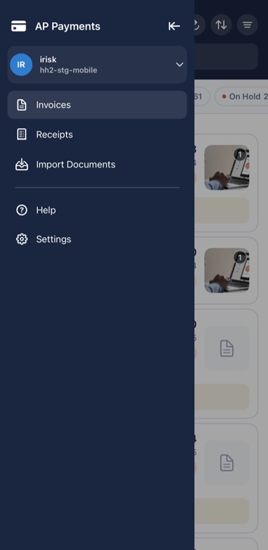 if you belong to more than one hh2 organization.
 - Invoices.
- Receipts and Import Documents.
- Help and Settings.
⚠️ Important
If you work across more than one hh2 organization, the account switcher at the top of the drawer is where you flip between them. Each organization has its own invoices, jobs, and vendors. Confirm you are in the right one before you start capturing or coding.